
Upgrade Fabric Servers
Upgrade API Server
Upgrade Director Console (For v2.8.0 or below)
Upgrade LPSM
Important
Fabric Server and API Server must have the same versions.
You must establish an SSH connection to upgrade Fabric Server, API Server and Director Console. See Establish an SSH Connection for details.
Go to Logpoint Help Center and download the required Fabric Server .pak.
Log in using the credentials of cmdr-admin.
Copy the .pak file to the home location of cmdr-admin using:
scp -i <id_rsa_path> <pak_file_location> cmdr-admin@<Fabric_Server_IP>:
Install the .pak file using the following command:
installcom-patch <pak_file>
After the installation, when you log into the system as a cmdr-admin user, each node of the cluster Fabric Server displays the following message:

Cluster Server Status
The system also compares the version compatibility between Fabric Server and API Server, and displays the following message:
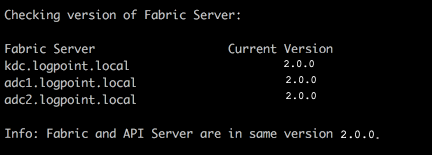
Fabric and API Servers Status
Version |
Prerequisite Version |
|---|---|
2.9.0, 2.9.1 |
2.8.0 |
2.8.0 |
2.7.0 |
2.7.0 |
2.6.1 |
2.6.0, 2.6.1 |
2.5.0, 2.5.1 |
2.5.1 |
2.5.0 |
2.5.0 |
2.4.0 |
2.4.0 |
2.3.0 |
2.3.0 |
2.2.0 |
2.2.0 |
2.1.0, 2.1.1, 2.1.2 |
2.1.2 |
2.1.0, 2.1.1 |
2.1.1 |
2.1.0 |
2.1.0 |
2.0.0 |
2.0.0 |
1.8.0 |
1.8.0 |
1.7.0 |
1.7.0 |
1.6.0 |
1.6.0 |
1.5.0, 1.5.1 |
Go to Logpoint Help Center and download the API Server .pak file.
Log in using the credentials of cmdr-admin.
Copy the .pak file to the home location of cmdr-admin using:
scp -i <id_rsa_path> <pak_file_location> cmdr-admin@<API_Server_IP>:
Install the .pak file using the following command:
installcom-patch <pak_file>
After the installation, when you log into the system as a cmdr-admin user, each node of the cluster Fabric Server displays the following message:
Cluster Server Status
The system also compares the version compatibility between Fabric Server and API Server, and displays the following message:
Fabric and API Servers Status
The following table lists the dependencies for each Director Fabric:
Version |
Prerequisite Version |
|---|---|
2.9.0, 2.9.1 |
2.8.0 |
2.8.0 |
2.7.0 |
2.7.0 |
2.6.1 |
2.6.0, 2.6.1 |
2.5.0, 2.5.1 |
2.5.1 |
2.5.0 |
2.5.0 |
2.4.0 |
2.4.0 |
2.3.0 |
2.3.0 |
2.2.0 |
2.2.0 |
2.1.0, 2.1.1, 2.1.2 |
2.1.2 |
2.1.0, 2.1.1 |
2.1.1 |
2.1.0 |
2.1.0 |
2.0.0 |
2.0.0 |
1.8.0 |
1.8.0 |
1.7.0 |
1.7.0 |
1.6.0 |
1.6.0 |
1.5.0, 1.5.1 |
Important
When upgrading to Director v2.9.0 or later, the following steps are not required as the Director Fabric patch upgrades all three components: Fabric Server, API Server and Director Console.
Go to Logpoint Help Center and download the required Director Console patch provided in the .pak format.
Install the .pak file using:
installcom-patch <pak_file>
In Director Console, clicking the Director Console logo in the upper left corner of the user interface displays the Director Console version and the connected API Server, Fabric Server and LPSM versions.
The following table lists the dependencies for each Director Console:
Version |
Prerequisite Version |
|---|---|
2.9.0, 2.9.1 |
2.8.0 |
2.7.0 |
2.6.0 |
2.6.0 |
2.5.0 |
2.5.0 |
2.4.0 |
2.4.0 |
2.3.0 |
2.3.0 |
2.2.0 |
2.2.0 |
2.1.0, 2.1.1, 2.1.2 |
2.1.2 |
2.1.0, 2.1.1 |
2.1.1 |
2.1.0 |
2.1.0 |
2.0.0 |
2.0.0 |
1.10.0, 1.10.1 |
1.10.1 |
1.9.0, 1.10.0 |
1.10.0 |
1.9.0 |
1.9.0 |
1.8.0 |
1.8.0 |
1.7.0 |
1.7.0 |
1.6.0 |
1.6.0 |
1.5.0, 1.5.1, 1.5.2 |
Go to Logpoint Help Center and download the required LPSM patch provided in the .pak format.
Upload LPSM .pak file from the UI or the Command Line Interface.
To upload from the UI:
2.1. Go to Settings >> System Settings >> Updates.
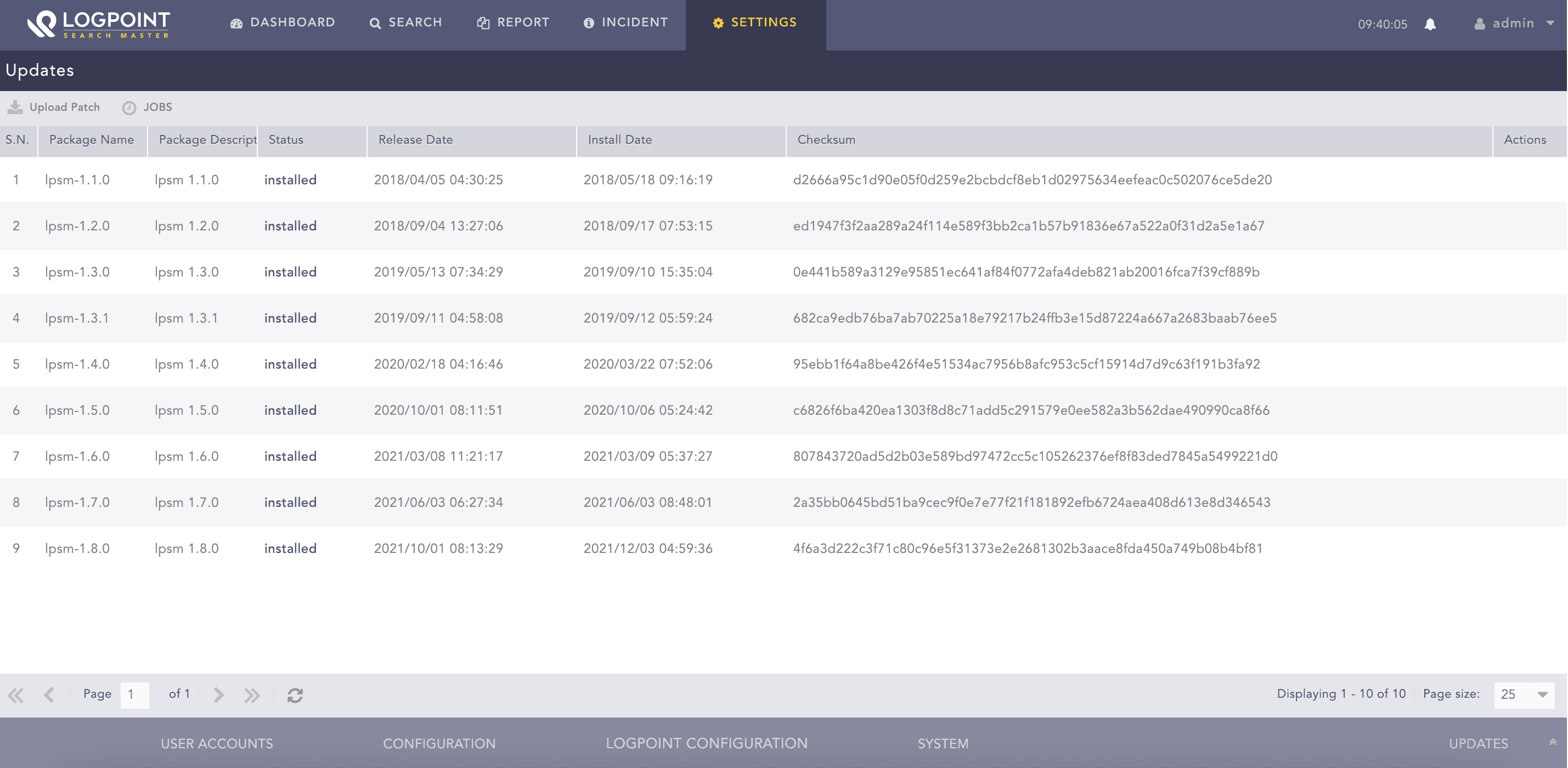
Updates
2.2. Click Upload Patch.
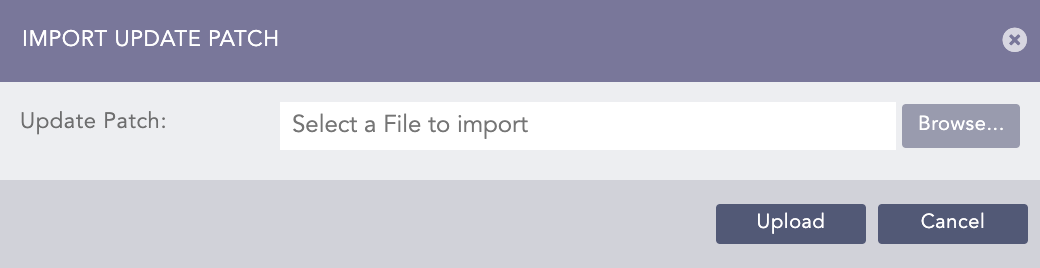
Import Update Patch
2.3. Browse the downloaded LPSM .pak file.
2.4. Click Upload.
To upload from the Command Line Interface:
2.5. Move the LPSM .pak file to the /tmp directory of the LPSM server.
2.6. Run the following command from li-admin to upload the patch to Logpoint:
uploadpatch /tmp/<pak.file>
Click Install Update from the Actions column.
Once the installation is complete, the Status of the LPSM package must be Installed.
Click the Logpoint Search Master logo in the upper left corner of the LPSM user interface to view the LPSM version.
Version |
Prerequisite Version |
|---|---|
2.9.0 |
2.8.0 |
2.8.0 |
2.7.0 |
2.7.0 |
2.6.0 |
2.6.0 |
2.5.0 |
2.5.0 |
2.4.0 |
2.4.0 |
2.3.0 |
2.3.0 |
2.2.0 |
2.2.0 |
2.1.0, 2.1.1 |
2.1.1 |
2.1.0 |
2.1.0 |
2.0.0 |
2.0.0 |
1.8.0 |
1.8.0 |
1.7.0 |
1.7.0 |
1.6.0 |
1.6.0 |
1.5.0, 1.5.1 |